
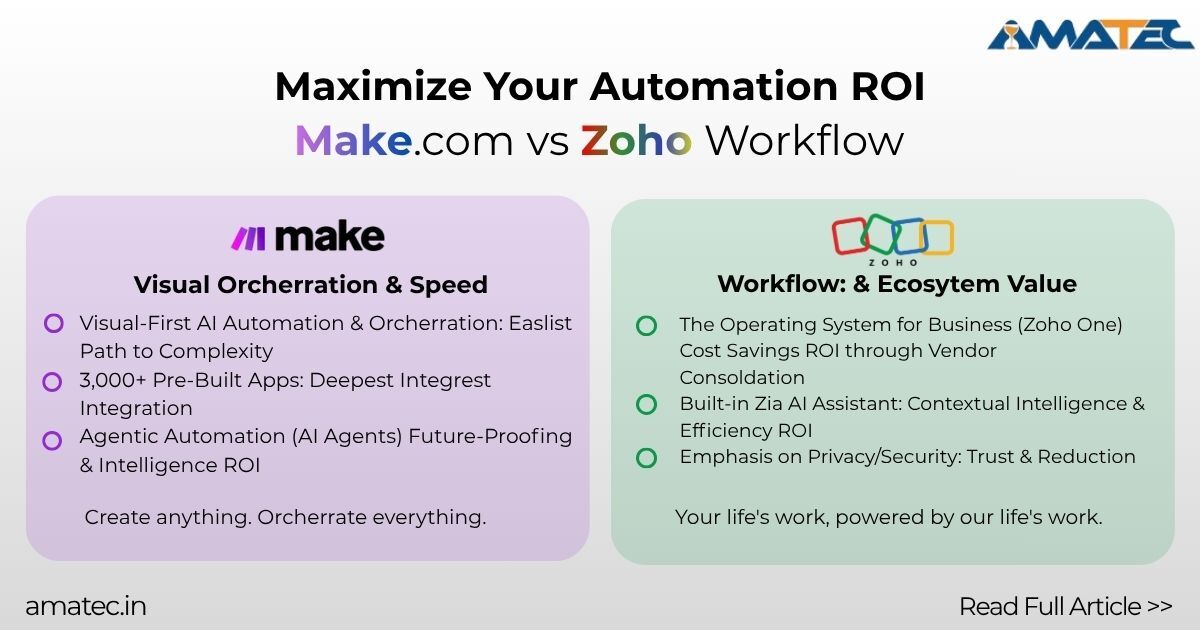

Choosing an automation platform in 2025 comes down to two big questions: which tool will deliver the fastest ROI for your business, and which one fits your team’s technical profile and toolstack? Below is a practical, business-focused comparison of make vs zoho workflow comparison from an ROI and automation perspective to help you decide.
1) Quick snapshot
- Make.com —Strong no-code/low-code capabilities, extensive third-party integrations, and an emphasis on AI-enabled workflows are all features of this visually appealing and adaptable instrumentation. It’s built for designers of complex automations and teams that want high control over automation.
- Zoho Workflow — With a sizable template/gallery and simple builders targeted at business users and Zoho customers, this business-friendly workflow automation tool is flawlessly integrated into the Zoho ecosystem. Quick wins and ease of use are its main priorities.
2) Ease of use & building experience
- Make: A visual canvas featuring sophisticated logic and modules. Although it has a learning curve for power users who wish to optimize for cost and performance, it is very flexible (excellent for multi-step scenarios and conditional logic). Ideal for groups that require visual control over intricate processes.
- Zoho Workflow: Fewer templates, a cleaner, form-like builder, and a lower learning curve for non-technical users. Flow feels natural and is easy to use if your team is already familiar with Zoho apps.
3) Integrations & ecosystem impact on ROI
- Make: Promoted as having verified connectors and supporting thousands of apps, it’s particularly powerful when you need to glue a lot of different systems together, including Zoho apps. As a result of data moving consistently between tools, custom development is decreased, and automation ROI is increased.
- Zoho Workflow: Extensive, unconventional integrations with the Zoho stack, over 1,000 third-party apps, and a vast template library. Flow reduces implementation costs and time-to-value if your company currently uses Zoho CRM, Desk, or Creator.
4) Pricing model & ROI considerations
- Make: There are free and paid tiers that scale according to features and operations in the usage/operation-credits model (module/actions counted). Although careful design is required to control credits and costs for businesses with complex or bursty automations, the flexibility frequently pays off in the form of automation savings. When calculating ROI, make sure to use Make’s most recent pricing and credit model.
- Zoho Workflow: Subscription plans often billed per user or by task volume depending on the plan. Flow often bundles and produces a lower total cost of ownership for companies that are already using Zoho business plans. In order to compare net monthly costs, always model the expected task volume.
5) Scalability & performance
- Make: Designed for scale and complex orchestration, it supports multiple parallel scenarios and has recently been updated to include AI/agentic orchestration features (2025 product updates). This makes it suitable for scaling automation that involves more complex data transformations or AI steps.
- Zoho Workflow: It’s great for standard enterprise business processes and scales well in Zoho environments and typical SMB workflows, but it might feel limited if you need highly customized orchestration or sophisticated agentic behaviors.
6) Governance, security, and compliance
Standard enterprise controls (role-based access, audit trails, and authentication) are offered by both platforms. Make concentrates on orchestration security and verified connectors, while Zoho prioritizes privacy and regional compliance linked to its larger product family. During evaluation, confirm certain compliance features (data residency, encryption, certifications) for regulated industries.
7) Speed-to-value, templates, and support
- With pre-made templates and a gradual ramp-up for business teams (faster pilot deployments), Zoho Flow triumphs.
- Make provides greater flexibility, community recipes, and more pre-built connectors for specialized apps; these features can speed up complicated projects, but they may also necessitate developer participation.
8) Who should pick which? (practical ROI guidance)
- Choose Make.com if: You require advanced conditional logic, AI-enabled orchestration, extensive third-party integrations, or advanced automations that will scale and lower operational staff. If you create flows to control credit usage, Make usually yields a higher long-term return on investment for complex, cross-system automation.
- Choose Zoho Workflow if: You need simple automations that yield immediate gains and a clear TCO, your stack is Zoho-centric, or you want quick deployments with lots of templates. Zoho Flow produces predictable costs and a quicker time-to-value for a large number of small-to-midsize businesses.
9) Final recommendation — run a short ROI pilot
Run a 30–60 day pilot with both platforms using the same use case (for example: lead-to-cash, onboarding, or ticket routing). Measure:
- time saved per task (hours)
- error rate reductions (%)
- monthly automation cost (credits or plan fees)
- Implementation hours required
Those metrics will show which tool gives better ROI in your environment. Independent comparisons and user reviews also highlight real-world pros/cons when scaled.
The bottom line
When you require flexibility, advanced automation, and AI-driven automations that can replace intricate manual labor on a large scale, Make.com is the better option for 2025. When your operations are mostly conducted within Zoho or you want quick, low-friction automation with predictable costs, Zoho Workflow is the better choice. Use a short, measurable pilot to decide — that’s the fastest path to proven ROI.
